

Clickless for brands
AI Product Experts that sell. You pay only when they do.
Not a chatbot. A Product Expert trained on everything you sell.Free 7-day test: no Clickless fee on sales in your Product Expert’s first 7 days live. You still pay for your own ads.Your ad opens your own Product Expert: it answers shoppers’ questions, recommends what fits, applies your deal and hands them to your own checkout. No setup fee, no monthly fee. You pay only out of what it saves you. Your cost per purchase is read from your own ad account, not typed in, and checked against your store’s orders.
- Pay nothing unless it sells
- No setup fee · No monthly fee
- Brands: sign up today
Ways to run ads
Choose what shoppers see after they tap your ad.
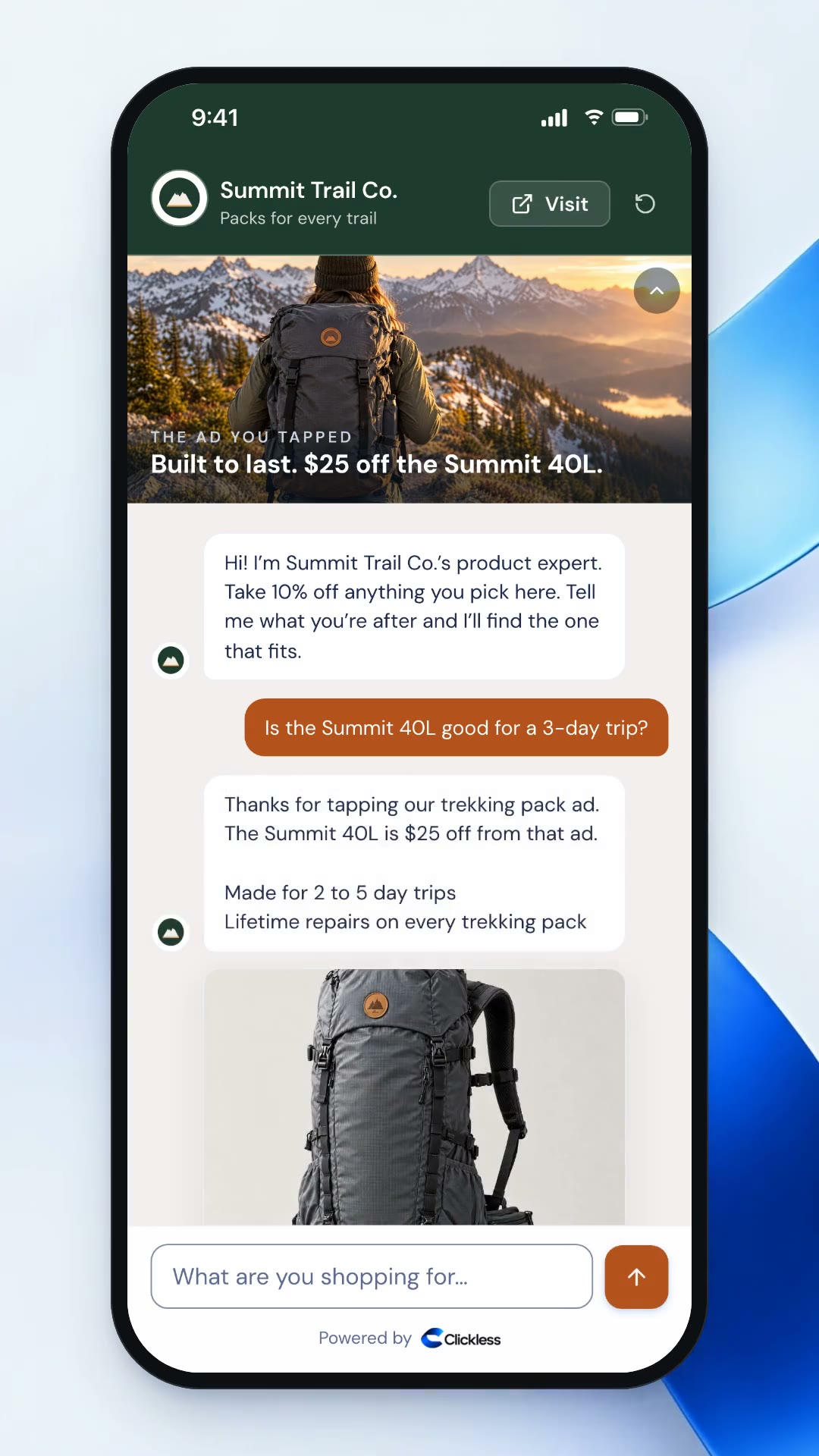
Real screens. Each one ends at your own checkout.
Shoppers ask in their own words.
The ad opens a chat. The shopper types what they need, and your Product Expert answers with picks at your offer price.
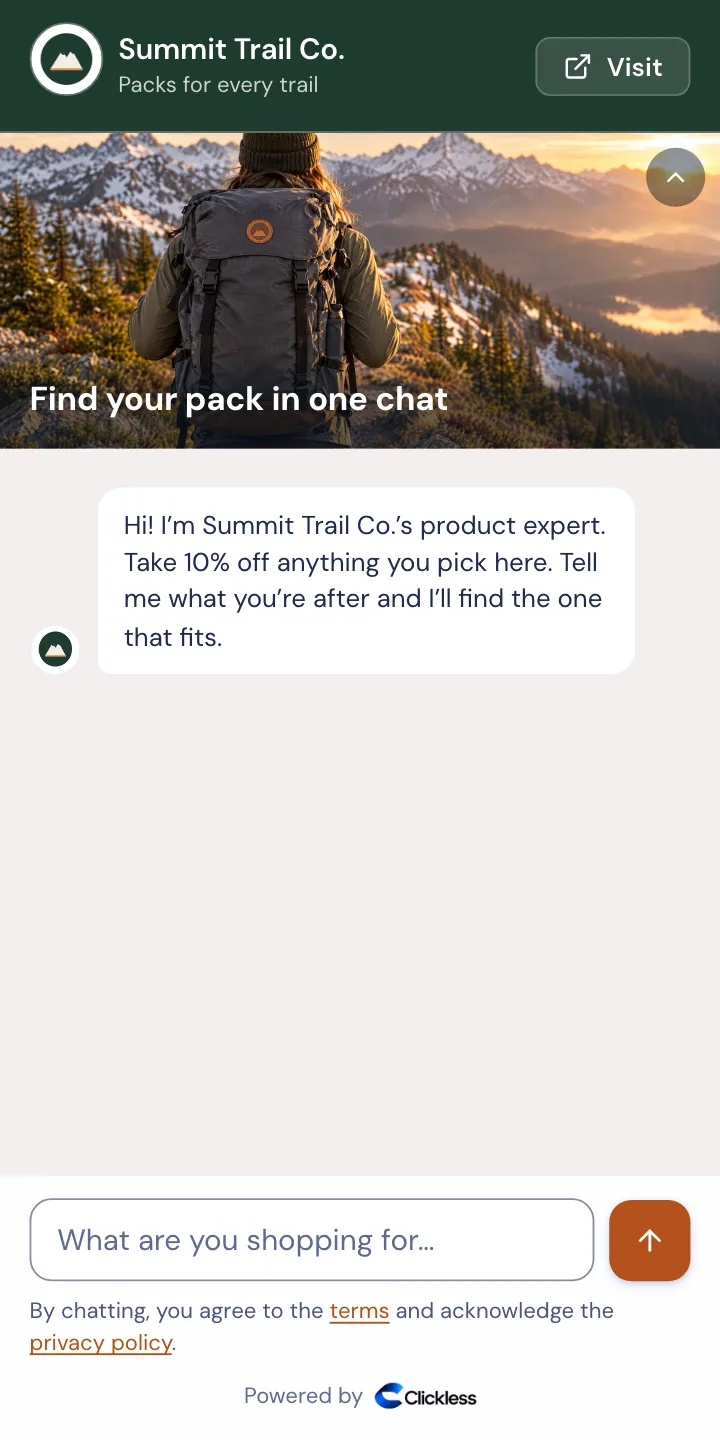
Chat first
The ad opens a chat. The shopper types what they need, and your Product Expert answers with picks at your offer price.
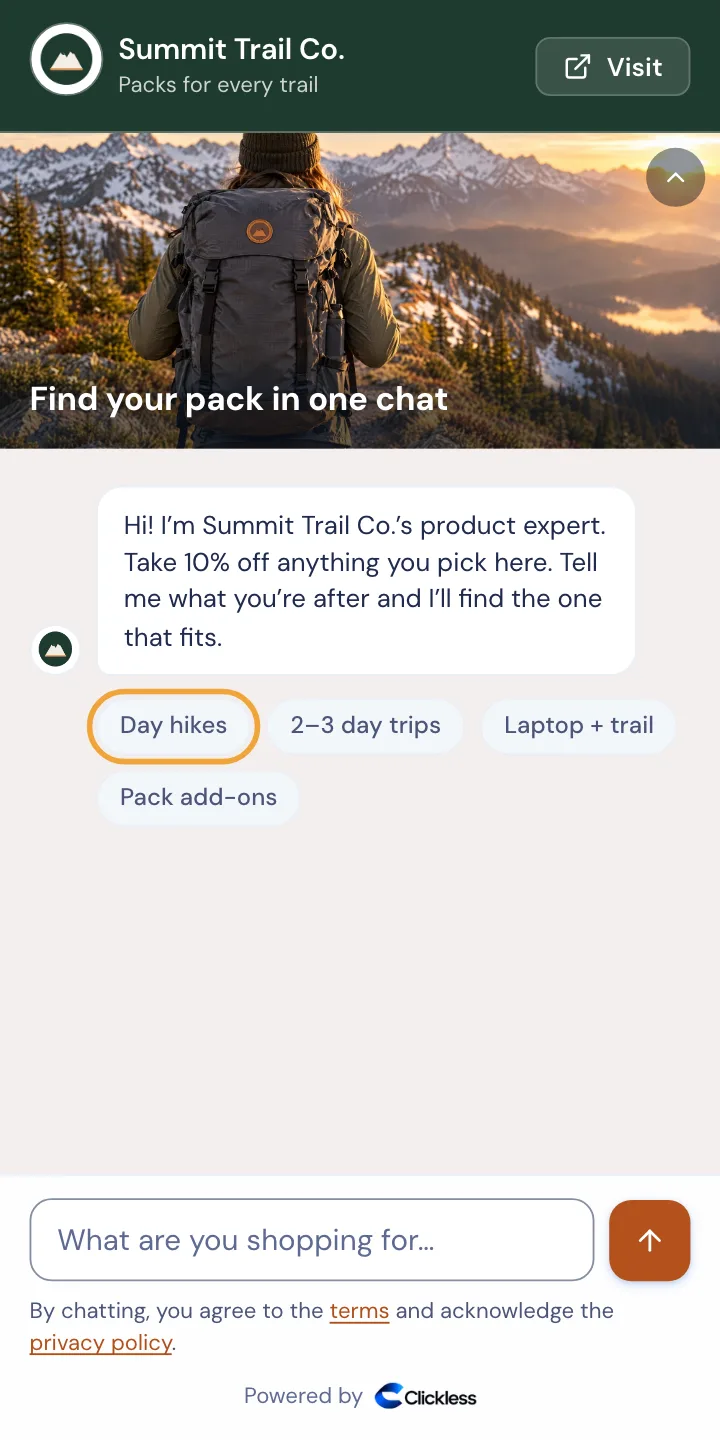
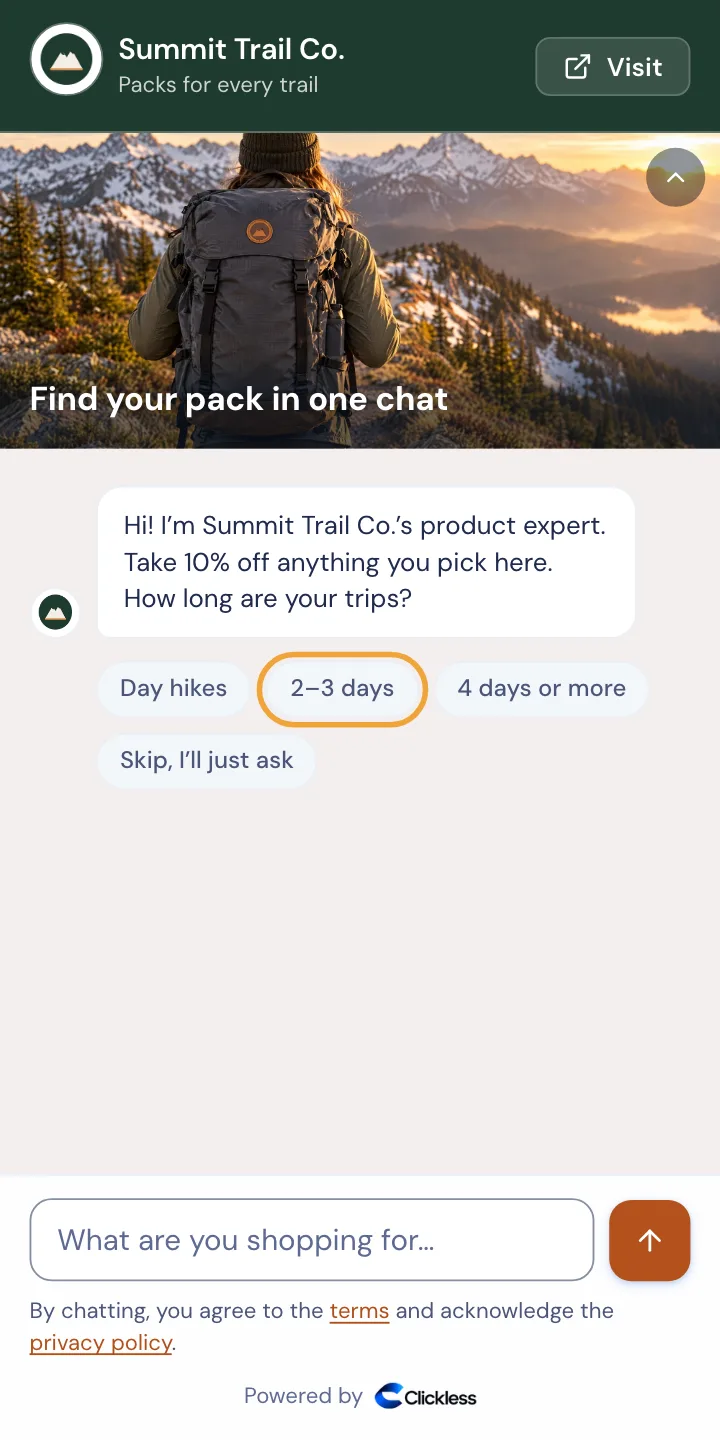
Buttons first
Starter buttons show where to begin. One tap brings up what fits, and the shopper can still type a question.
Quiz first
Up to four questions with tap answers, then the products that match. Every question has a skip for shoppers who’d rather ask.
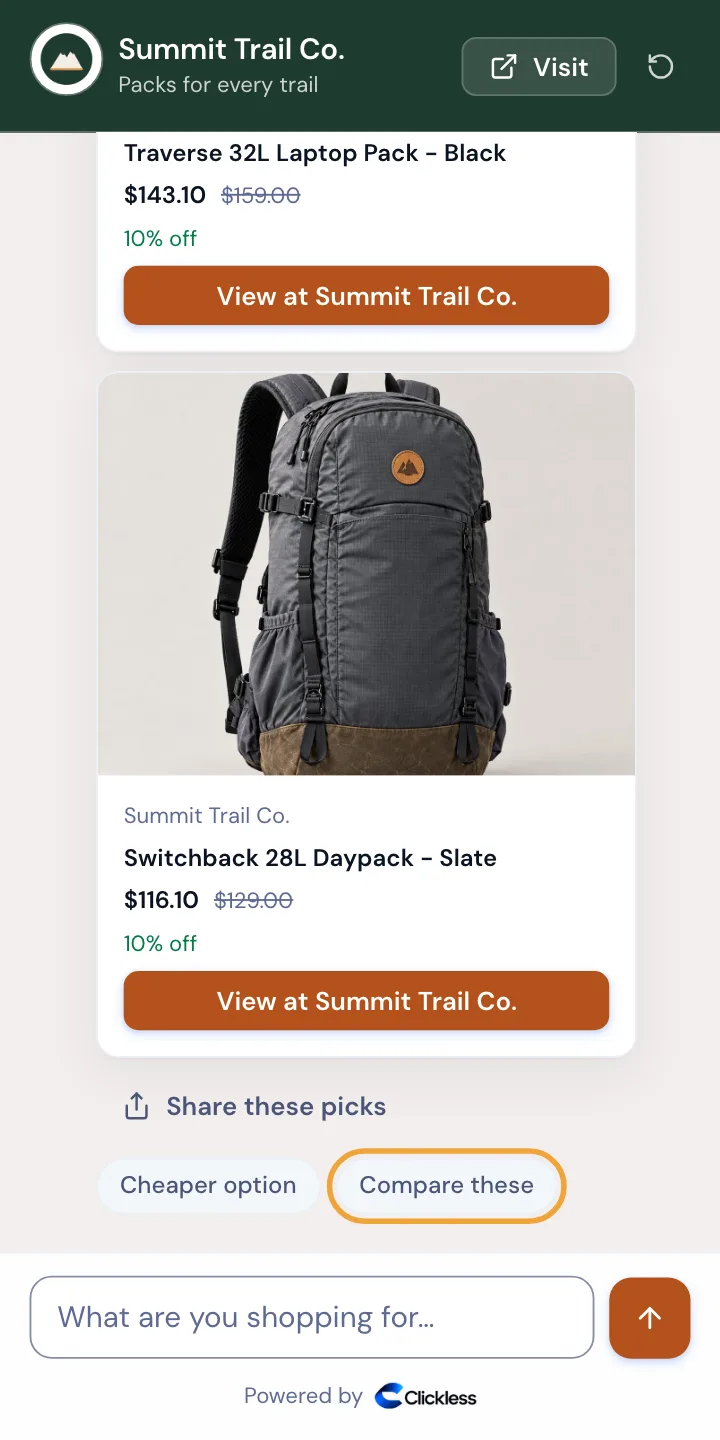
Compare side by side
One tap puts two or three picks side by side, with the facts from your own catalog. Choose this sends the shopper to it on your site.
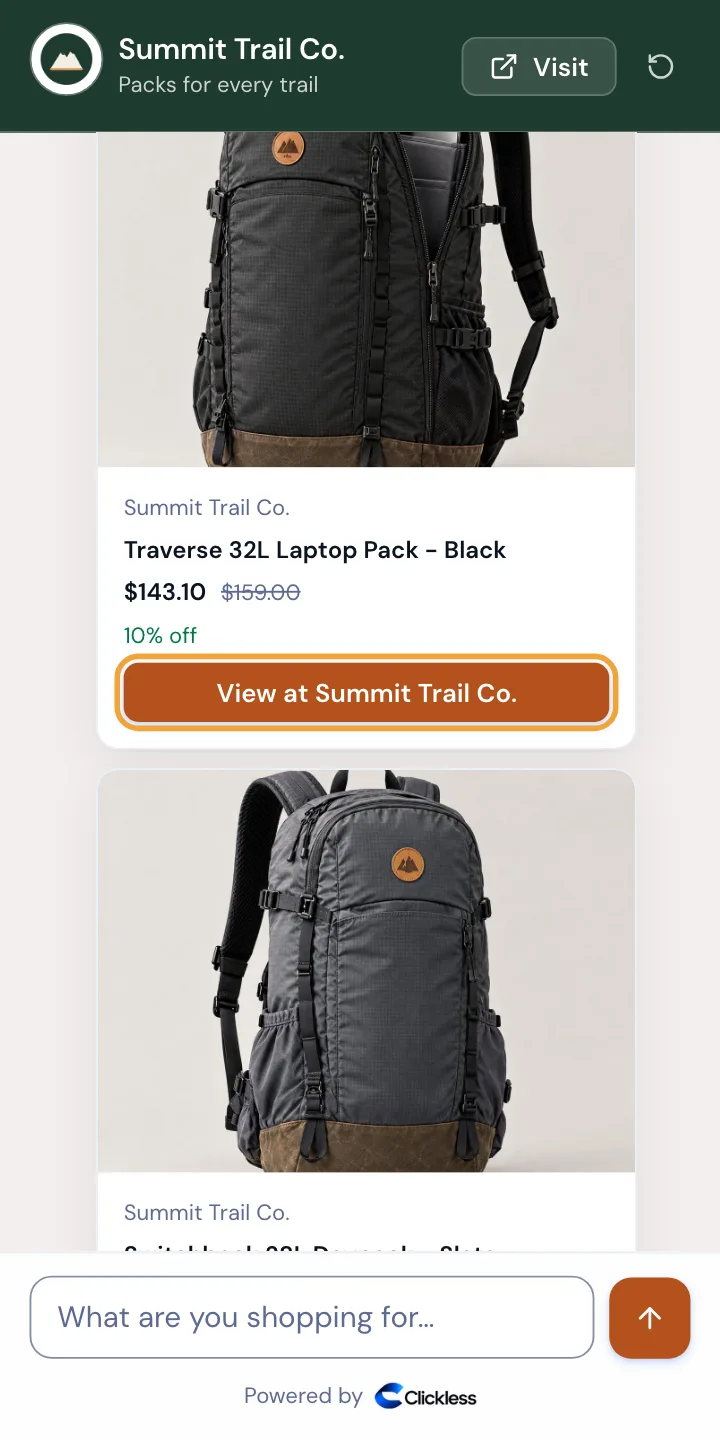
Build a bundle
On a Shopify store, it suggests add-ons that go with the pick and sends everything to your checkout in one cart.
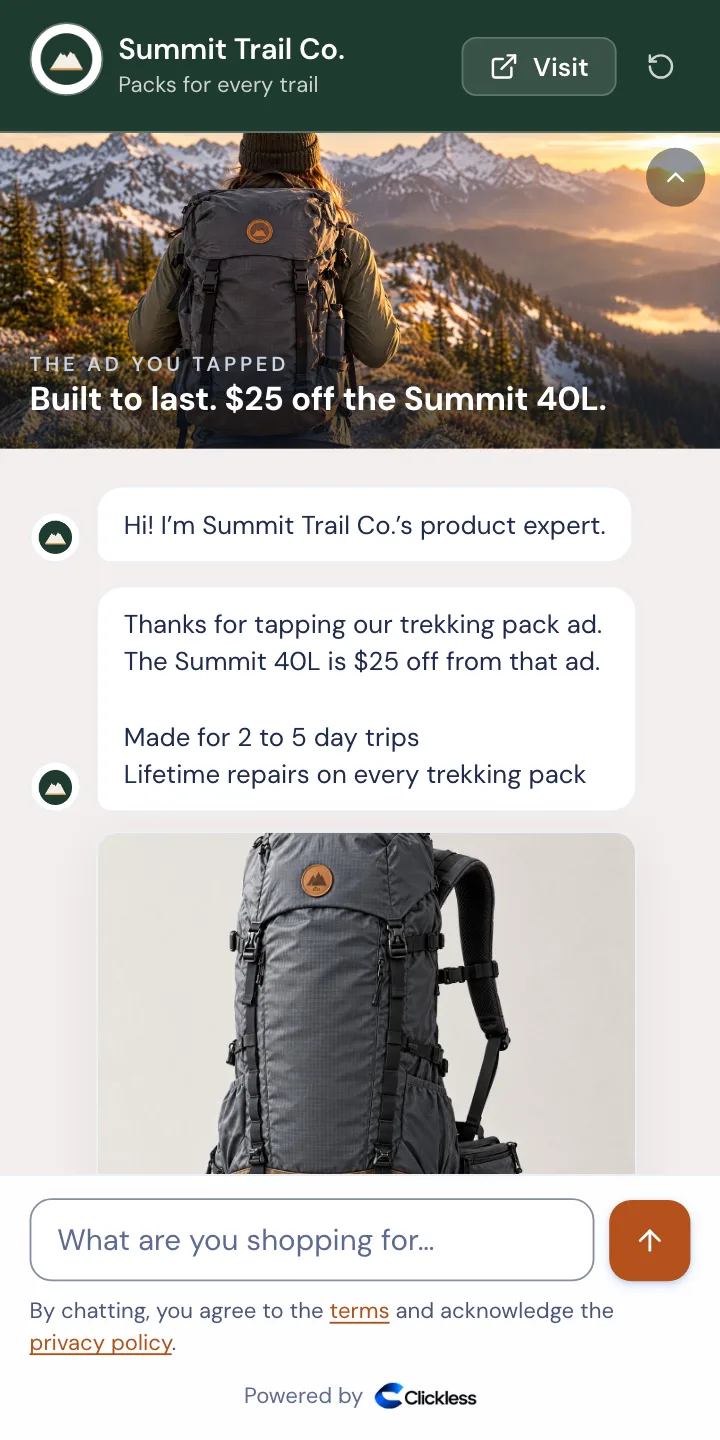
Message match per ad
Each ad opens the chat with its own picture, first line and offer, its products under them, before the shopper types a word. The chat picks up where the ad left off.
Run any of them per ad, or split two 50/50.
How testing worksOne sale, start to finish
Watch an ad click become a sale you can trace.
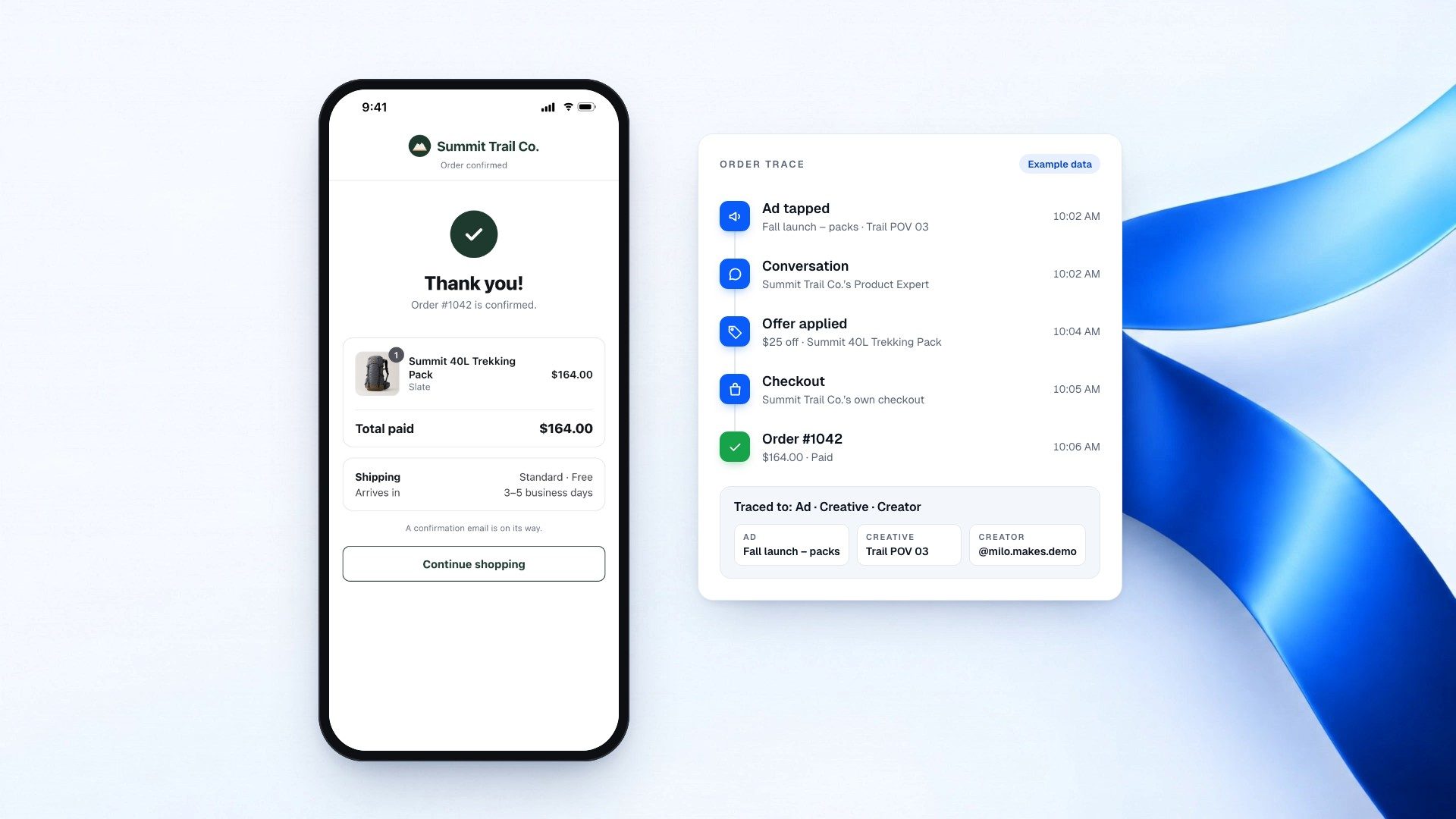
An example brand’s Product Expert, from the ad a shopper taps to the order in the brand’s Ads report.
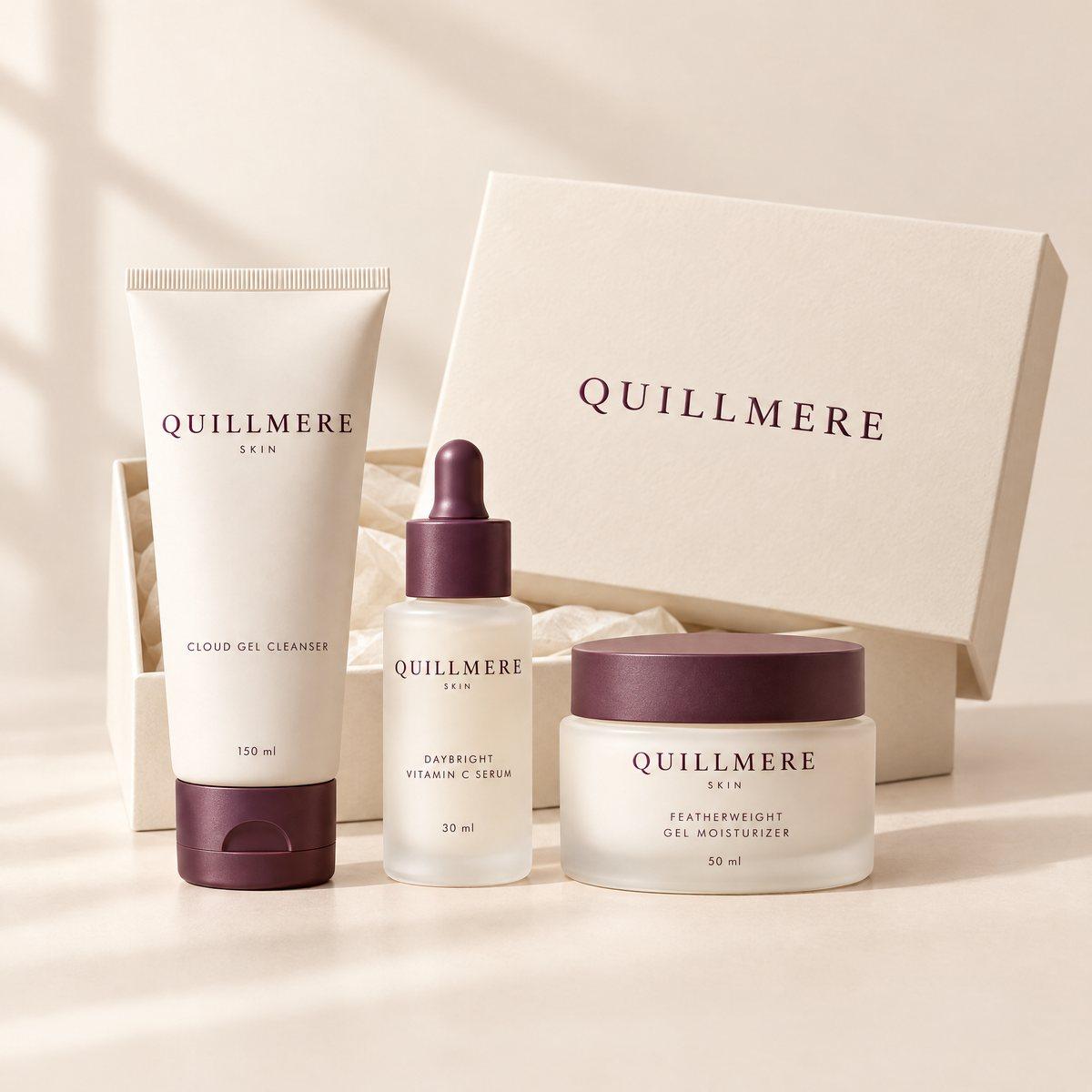
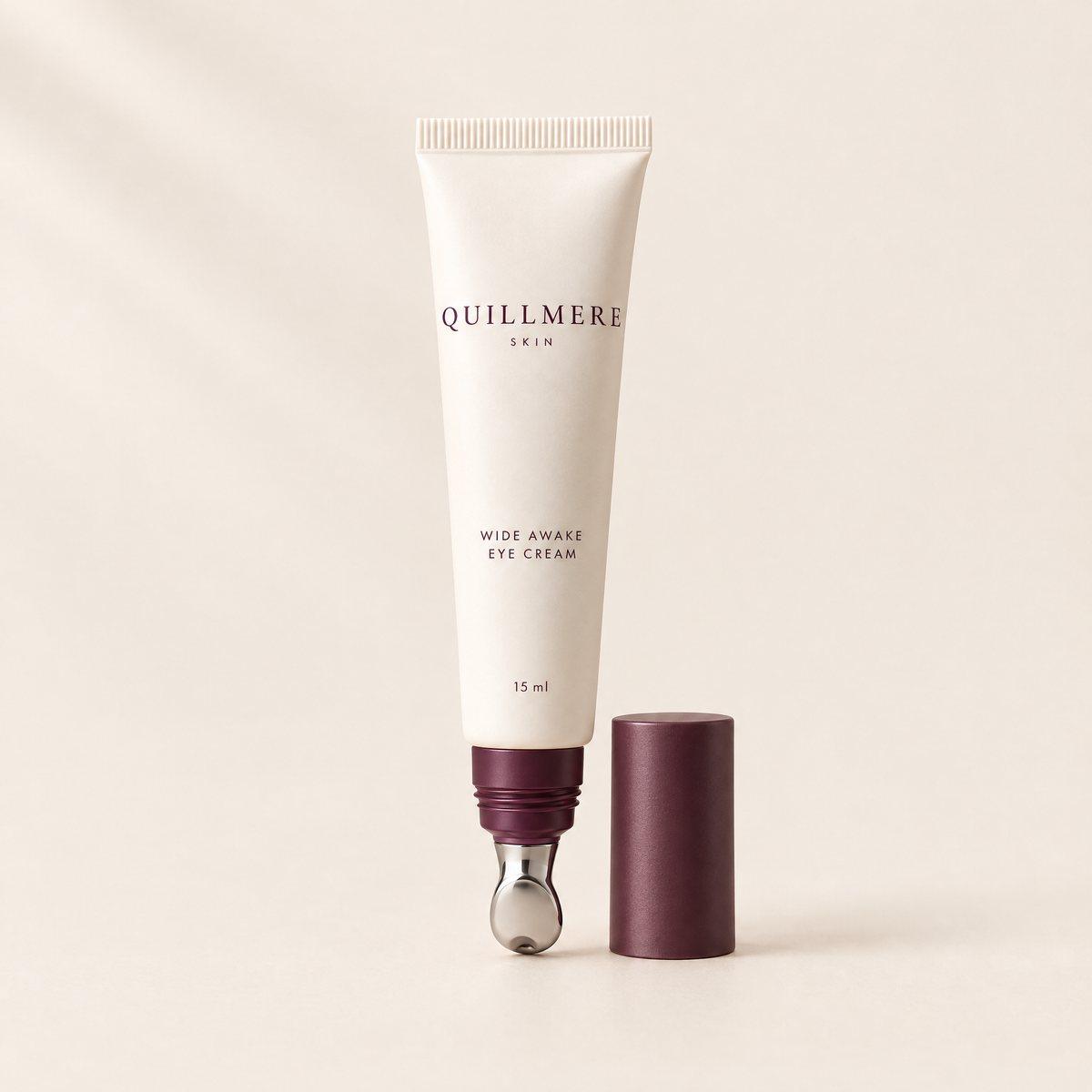

Step 1: A shopper taps your ad.
Your ad opens your Product Expert, not a landing page that can’t answer them.
Step 2: It opens like your store.
Your logo and colors, the ad they tapped at the top, and that ad’s own offer already in the price.
Step 3: It answers the question that loses the sale.
From your catalog and your own pages, in your voice, then it suggests what goes with it.
Step 4: Two products, one cart.
On a Shopify store, shoppers add what they want right in the chat and check out once.
Step 5: They pay on your own checkout.
Your deal is already applied. The customer, the payment and the order are yours.
Step 6: The sale is credited to the ad.
Checked against your store’s orders and counted for 7 days after the ad click, Meta’s standard. Your Ads report shows which ad sold. You pay only out of what it saves you.
Try it live
Talk to a brand’s Product Expert, live.
Each of this brand’s ads opens its live Product Expert with the ad’s own picture, first line and offer. Ask it anything: it answers from the brand’s catalog and hands off to the brand’s checkout.
LiveLive demo: Quillmere Skin
Tap one of its ads to see what it opens
 Your morning routine, made simple (opens the chat as this ad’s visitors see it)
 Find the moisturizer that suits your skin (opens the chat as this ad’s visitors see it)
 Rich comfort for dry skin (opens the chat as this ad’s visitors see it)
 Your night routine, all in one set (opens the chat as this ad’s visitors see it)
Or ask it something
Testing
Test inside the chat, not with another landing page.
Every change is a setting in your Product Expert, made per ad, and every ad gets its own line in the report.
A new offer or opening line, per ad
Give each ad its own first line and its own offer in your Product Expert. No new landing page to build.
Chat, buttons or a quiz first, tested 50/50
Set how the chat opens for each ad, or split an ad 50/50 between two openings. The report calls a side ahead only once enough people have seen both.
See which one sold, ad by ad
Each ad’s orders and revenue sit side by side in the per-ad report.
One ad set, split 50/50 against your landing page.
Same audience, creative and budget on both sides, Meta’s own A/B test doing the split. Then compare cost per purchase.
Pick one ad set
Same audience, same creative, same budget on both sides.
Split the destination 50/50
Half to your landing page, half to the brand’s Product Expert link, with Meta’s own A/B test doing the split.
Run it 7 days
The full time a sale counts after the click, so every sale has time to land.
Read both columns
Cost per sale on each side, by Meta’s count and by orders confirmed in the brand’s store, ad by ad.
Pricing
Your own Product Expert
30%of what it saves you on each sale, for founding brands
- Your cost per purchase is read from your own ad account, not typed in, and checked against your store’s orders.
- When your Product Expert beats it, Clickless keeps 30% of the incremental savings on each sale for founding brands, 50% after the founding round.
- Doesn’t beat your number? You pay $0.
- Free 7-day test, no setup fee, no monthly fee.
- No commission on its sales: it’s yours
- Example: you pay $60 per purchase today and your Product Expert gets it to $45. You save $15 a sale: you keep $10.50 and Clickless keeps $4.50.
When other agents sell for you
A creator’s Product Expert or Ask Clickless: the commission you set, 5% or more, plus the fee on creator sales, 15% of the commission. Founding brands: 10%, and none for the first 90 days of an agent-exclusive offer. No fee on creator sales in your free 7-day test.
Never stacked
Each order is credited to one agent at most, so it carries one of these fees, never two.
Every way in
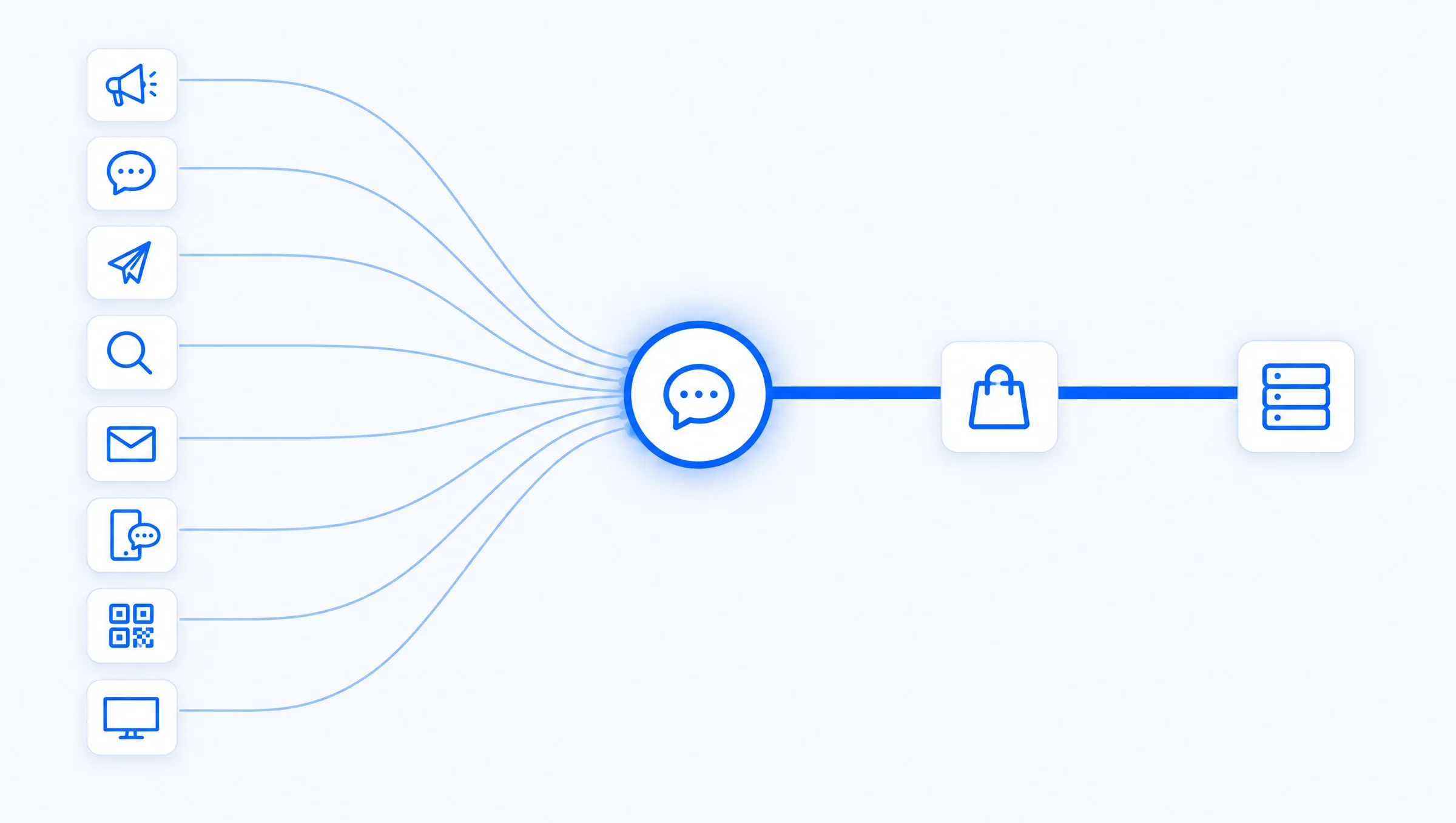
Every way a shopper reaches you ends at your checkout.
Each is labeled as it stands today: live, rolling out while Meta and the carriers approve, or coming.
Ad click to checkoutLive
Any ad that links to a page can open your Product Expert instead of a landing page. It answers, applies your deal and hands off to your own checkout.
A comment becomes a saleRolling out
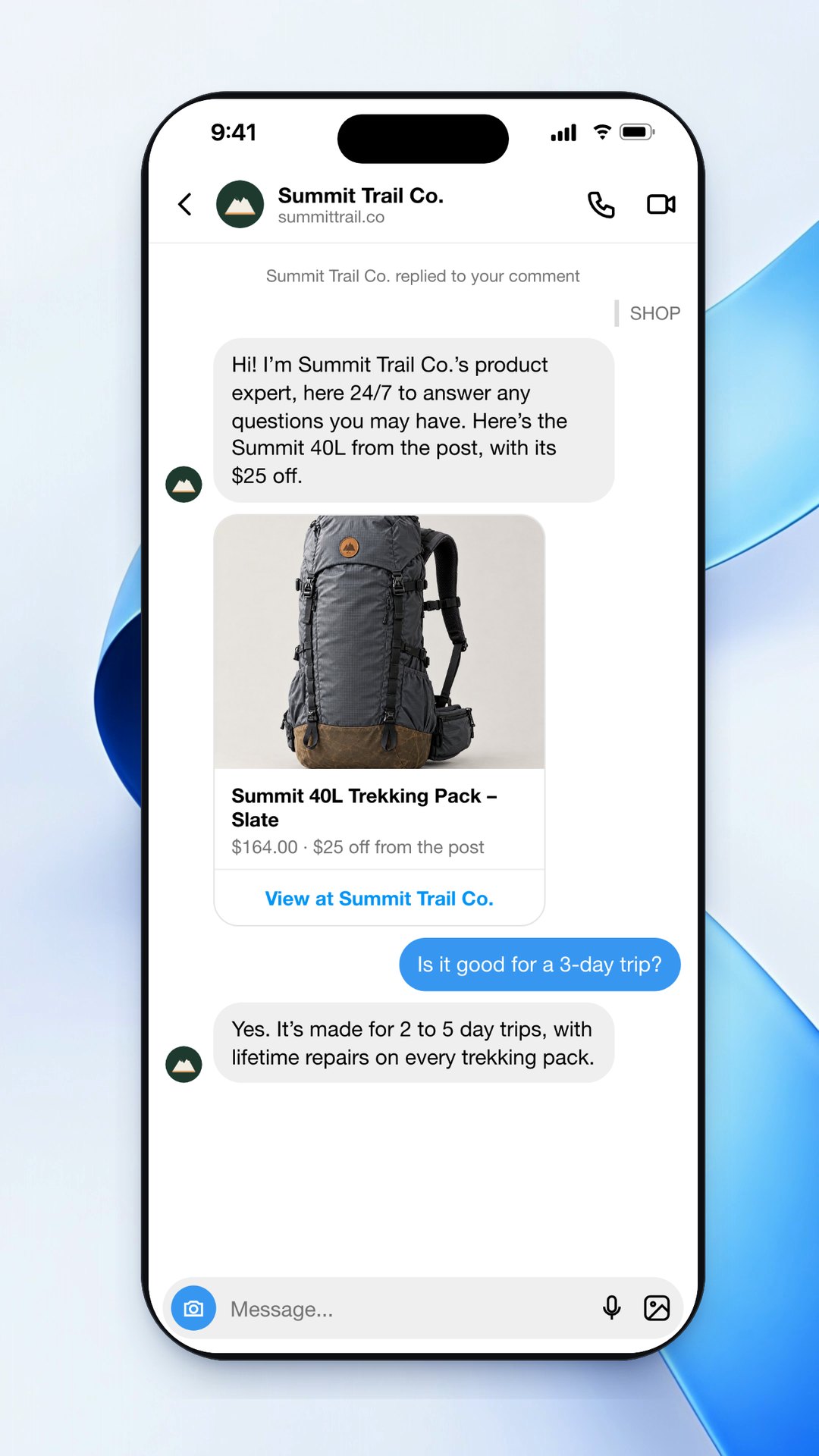
Someone comments on your ad or post. Your Product Expert replies by DM from your own account, answers what they ask, guides them to your checkout, and traces the order to the post or ad that started it.
Keyword to DM to saleRolling out
A follower comments your word and gets a DM. Instead of one fixed reply, a Product Expert keeps answering until they’re ready, and the order is traced to the post.
Search, email and text traffic
A search ad, an email or a text links to your Product Expert, tagged with its source and campaign, so you see which send sold.
QR codes on packaging, print and eventsLive
Any Product Expert link works as a QR code: on the box, a shelf card, a flyer or a booth. Each code carries its own tag, so you see which placement sold.
Connected TV, with a QR codeLive
Put the QR code on your TV spot. The viewer scans it, your Product Expert answers on their phone and hands off to your checkout, tagged with the campaign and creative.
Straight to your checkoutLive
When a shopper is ready, it skips the browsing: the product and your offer go straight to your own checkout. You stay the merchant; Clickless never takes payment.
Abandoned checkout follow-upComing soon
A shopper who leaves checkout hears back from the same Product Expert, in the same conversation.
More ways in: QR codes and comment keywords
Scan to ask, anywhere you can print a code
The same Product Expert, from a box, a shelf, a booth or a TV spot.
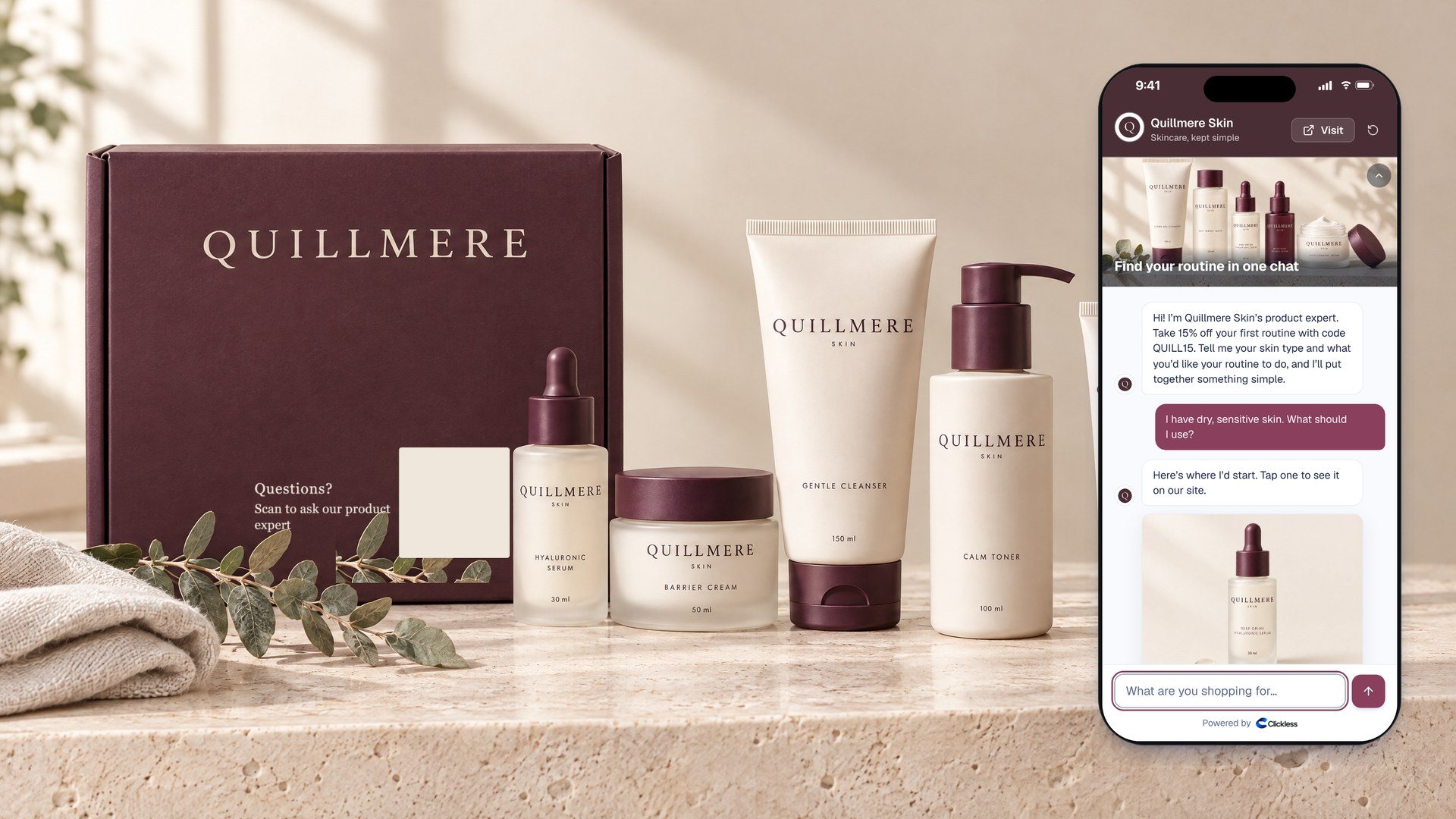
On the boxExample
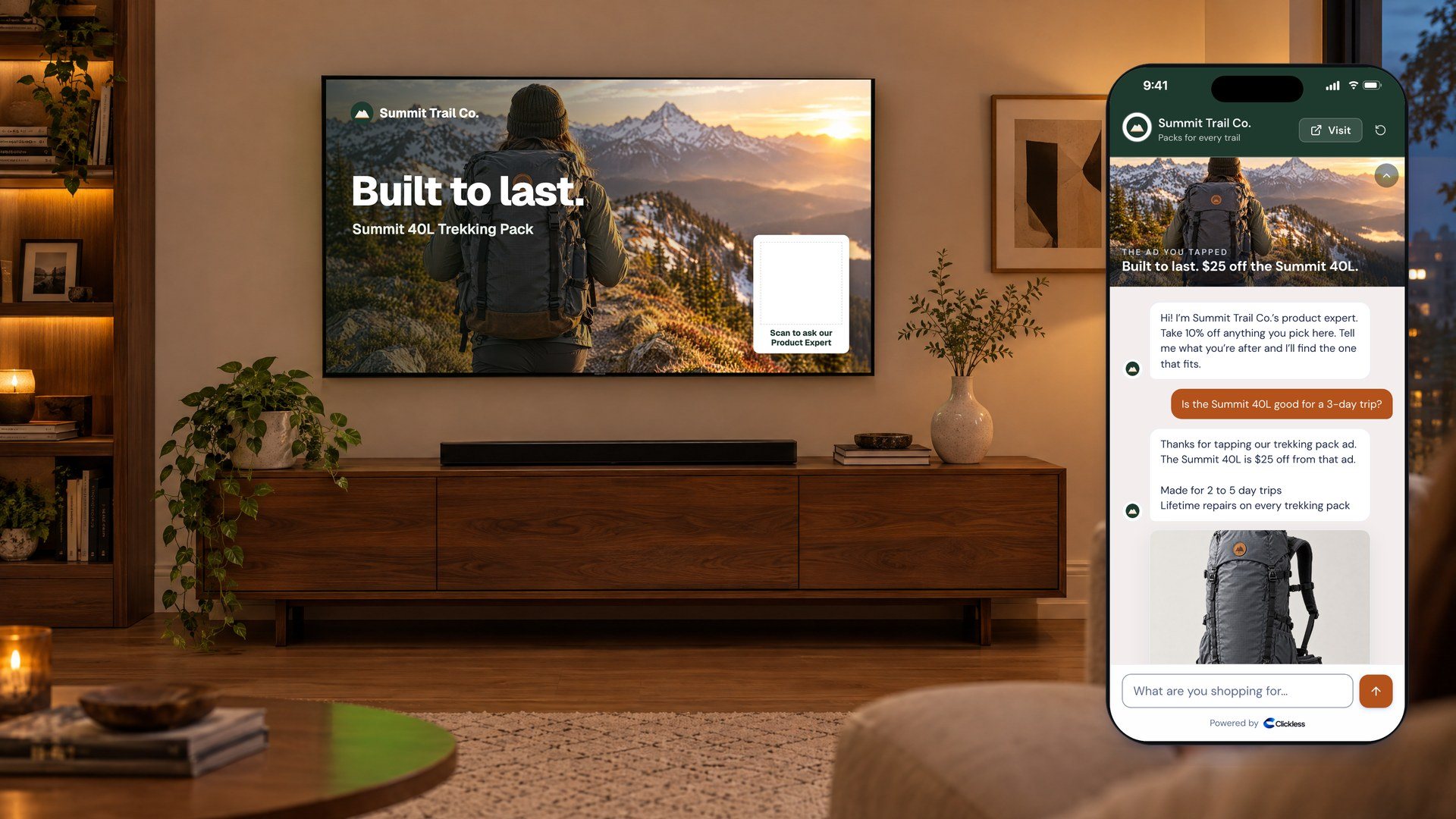
On a connected TV adExample
Keywords, side by side
A typical keyword auto-DM flow
- Step 1: Follower comments your keyword
- Step 2: The DM sends the link you set
- Step 3: Follow-up questions go to a flow or a person
Keyword to a Product ExpertRolling out
- Step 1: Follower comments your keyword
- Step 2: Your Product Expert answers every follow-up
- Step 3: Your deal applied, on your own checkout
How fast
Live in about two business days.
Free to set up. We do the connecting with you.
Connect your store
Connect Shopify (we finish the connection with you) or upload a product file.
It learns your site
Your Product Expert reads your site and catalog, and answers only from what’s there.
Go live
Usually live within two business days. Point your ads at it.
Live today
- Your Product Expert at its own linkLive
- Shopify connectionWith our help, about a dayLive
- Product file importLive
- Creators can recommend youLive
- Instagram DMs and story repliesLive
- Instagram comment repliesOnce Meta approves Clickless for commentsRolling out
- Weekly auto-debitLive
Guardrails
It sells like your best rep, and stays on message.
You decide what it knows and what it may say, and you can read every word.
Answers from your site
It reads your site and catalog and answers only from what’s there, plus the answers you write.
Only your own claims
Every reply it writes is checked before it’s sent. It can repeat claims from your own product pages; a health claim that isn’t in your copy is replaced with a fixed line.
Says what it is
Its first message says it’s your brand’s product expert. Asked whether it’s a person, it says plainly that it’s an AI.
Read it, pause it
Read its conversations in your portal (a chat about health shows the outcome, not the words), and pause it everywhere at once.
How it compares
Why not Meta’s agent, a keyword tool or a chat widget?
Use any of them alongside Clickless. Here’s what each one does with a shopper who came from your ad.
| What | Clickless Product Expert | Meta Business Agent | Keyword auto-DM toolsA category; tools vary | On-site chat widgetsA category; tools vary |
|---|---|---|---|---|
| Where shoppers reach it | Its own link, from any ad, search result, email, bio or QR code. | WhatsApp and Messenger, and rolling out on Instagram, per Meta.source 1,source 2 | Instagram and Facebook DMs, from comments, keywords and story replies. | Your website, once a shopper has landed on it. |
| Answers product questions | Answers from your site, your catalog and the answers you approve, in your voice. | Answers questions and recommends products from a business catalog, per Meta.source 1 | Mostly scripted flows; many now add AI replies. | Yes, on your product pages, from your catalog. |
| Gets them to your checkout | Your deal applied, then your own checkout. You stay the merchant; Clickless never takes payment. | In-chat checkout with Shopify on Messenger is in testing, per Meta.source 3 | Sends the link you set in the flow. | The shopper is already on your site. |
| Each order traced to what started it | Every order traced to the ad, creative and creator for ad clicks, and to the post for comments. | Purchases count in Ads Manager when the business sends them back through the Conversions API.source 4 | Varies by tool; many report clicks and contacts rather than orders. | Usually “assisted revenue” in the tool’s own dashboard. |
| How ad sales are counted | Counted the way your ad platform counts: clicks within 7 days, Meta’s default, or 28 or 60 days if you choose. Views never count. | Meta’s own settings for counting sales, in Ads Manager. | Varies by tool. | Varies by tool. |
| What you pay | You pay only out of what it saves you: 30% of the incremental savings on each sale for founding brands, $0 if it doesn’t beat the agreed cost per purchase. No setup fee, no monthly fee. | Free to get started, with paid subscriptions coming, per Meta. On WhatsApp, its messages are charged by usage, even inside the free 72-hour window an ad opens.source 1,source 5 | Monthly plans, often priced by the number of contacts. | Monthly plans or per-conversation fees, typically. |
| Recommended beyond your own channels | Creators’ Product Experts and Ask Clickless can recommend you too, on the commission you set. | Your own catalog, in your own chats.source 1 | Your own account. | Your own site. |
Where shoppers reach it
- Clickless
Its own link, from any ad, search result, email, bio or QR code.
- Meta Business Agent
WhatsApp and Messenger, and rolling out on Instagram, per Meta.source 1,source 2
- Keyword auto-DM tools
Instagram and Facebook DMs, from comments, keywords and story replies.
- On-site chat
Your website, once a shopper has landed on it.
Answers product questions
- Clickless
Answers from your site, your catalog and the answers you approve, in your voice.
- Meta Business Agent
Answers questions and recommends products from a business catalog, per Meta.source 1
- Keyword auto-DM tools
Mostly scripted flows; many now add AI replies.
- On-site chat
Yes, on your product pages, from your catalog.
Gets them to your checkout
- Clickless
Your deal applied, then your own checkout. You stay the merchant; Clickless never takes payment.
- Meta Business Agent
In-chat checkout with Shopify on Messenger is in testing, per Meta.source 3
- Keyword auto-DM tools
Sends the link you set in the flow.
- On-site chat
The shopper is already on your site.
Each order traced to what started it
- Clickless
Every order traced to the ad, creative and creator for ad clicks, and to the post for comments.
- Meta Business Agent
Purchases count in Ads Manager when the business sends them back through the Conversions API.source 4
- Keyword auto-DM tools
Varies by tool; many report clicks and contacts rather than orders.
- On-site chat
Usually “assisted revenue” in the tool’s own dashboard.
How ad sales are counted
- Clickless
Counted the way your ad platform counts: clicks within 7 days, Meta’s default, or 28 or 60 days if you choose. Views never count.
- Meta Business Agent
Meta’s own settings for counting sales, in Ads Manager.
- Keyword auto-DM tools
Varies by tool.
- On-site chat
Varies by tool.
What you pay
- Clickless
You pay only out of what it saves you: 30% of the incremental savings on each sale for founding brands, $0 if it doesn’t beat the agreed cost per purchase. No setup fee, no monthly fee.
- Meta Business Agent
Free to get started, with paid subscriptions coming, per Meta. On WhatsApp, its messages are charged by usage, even inside the free 72-hour window an ad opens.source 1,source 5
- Keyword auto-DM tools
Monthly plans, often priced by the number of contacts.
- On-site chat
Monthly plans or per-conversation fees, typically.
Recommended beyond your own channels
- Clickless
Creators’ Product Experts and Ask Clickless can recommend you too, on the commission you set.
- Meta Business Agent
Your own catalog, in your own chats.source 1
- Keyword auto-DM tools
Your own account.
- On-site chat
Your own site.
Questions people ask
Why not just use Meta’s own business agent?
Use both if you like. A Clickless Product Expert isn’t tied to one ad platform: it has its own link, so it opens from any ad or page, applies your deal, sends shoppers to your own checkout, and traces every order to the ad, creative and creator. A sale from an ad counts for 7 days after the ad click, Meta’s default, so the numbers line up with Ads Manager. You pay only out of what it saves you, so you can test it against your other destinations with nothing up front.
What if it says something wrong?
It answers from your own site, your catalog and the answers you write, and every reply it writes is checked before it’s sent: it can repeat claims from your own product pages, and a health claim that isn’t in your own copy is replaced with a fixed line. You can read its conversations in your portal and pause it everywhere at once. A chat that touches on health shows you the outcome, not the words.
Does it sound like a robot?
It introduces itself as your brand’s product expert and answers in your voice, from your own site and catalog. It never claims to be a person: asked, it says plainly that it’s an AI.
What does it cost?
You pay only out of the incremental savings your Product Expert gives you: 30% of them on each sale for founding brands (50% after the founding round), measured against your cost per purchase as read from your own ad account, and $0 if it doesn’t beat your number. Free setup, no monthly fee, and no commission on its sales. When a creator’s or another agent sells for you, you pay your commission (5% or more) plus the fee on creator sales (15% of the commission). Your first 7 days live are free: see the next answer.
What is the free 7-day test?
Clickless charges no fee on sales during the first 7 days after your Product Expert first goes live: no Clickless fee and no fee on creator sales. Its sales are still tracked and reported by ad, so you can see what it sold. Commission on sales other agents make for you is owed as usual. It isn’t a subscription: there’s nothing to cancel, and nothing is charged when it ends. From day 8, the prices above apply. The test is once per brand: a new account or a new brand on the same website or store doesn’t get another.
Do I need the AI readiness fix?
No. Your Product Expert is free to start. The readiness fix is optional: we do the work on your site if you want it, so assistants like ChatGPT and Claude, and other agents, can read it: robots.txt, llms.txt, structured data, server-rendered content, your sitemap, share cards and dead pages. It’s a one-time fee for the work, paid up front, non-refundable once the work starts and separate from your Product Expert’s fees. It doesn’t decide what any assistant recommends. Prices are on the pricing page.
How are sales tracked?
Every conversation carries a token from the ad, comment or link that opened it. When the shopper taps through, the token rides to the brand’s checkout, and the store reports the order back: Shopify stores automatically, other stores through their order export. Each order is credited to one agent at most, and a sale from an ad counts for 7 days after the ad click, by default.
Does it work without Shopify?
Yes. Send a product file and your Product Expert learns your catalog. Shopify stores report orders back automatically; other stores send their order export each week so sales can be matched.
Which checkout do shoppers use?
The brand’s own. The shopper taps through to the brand’s store with the deal applied and pays there; the brand ships. Clickless never takes payment or holds goods.
Will my Instagram account get banned?
Clickless uses Meta’s official messaging API. You connect your own professional account through Meta’s login, and your Product Expert replies only to people who message you or comment on your posts. It never sends cold DMs, and Clickless never uses unofficial tools, burner accounts or phone farms. Comment replies and comment keywords are coming once Meta approves comment access.
Do I have to pay creators a commission?
No. Your own Product Expert pays no commission: its fee is the only charge. You set a commission only if you want creators’ Product Experts and Ask Clickless to recommend you too.
Can I stop any time?
Yes. Pause your Product Expert from the brand portal and it stops answering everywhere at once. There’s no monthly fee to cancel.
How fast can we go live?
Connect Shopify (we finish the connection with you) or send a product file. Your Product Expert reads your site and catalog and answers only from what’s there. Most brands are live within two business days.

Put a Product Expert on your next ad.
Pay nothing unless it sells: no setup fee, no monthly fee. You pay only on sales your Product Expert, or any other agent, sends.